Loading blanks via the blank archive
You can use the blank archive to load discs or blocks into the Nesting view without using the main workflow.
-
Open the blank archive with the following icon in the Main icon bar:

-
(Optional) Use the filter settings in the left column to filter the blank list.
-
(Optional) Use the sorting functions to change the order of the saved blanks.
-
Select the Details button for the desired blank.
-
The Blank details view opens.
-
Select the Nestingbutton.

dentalcam displays the list of saved blanks.
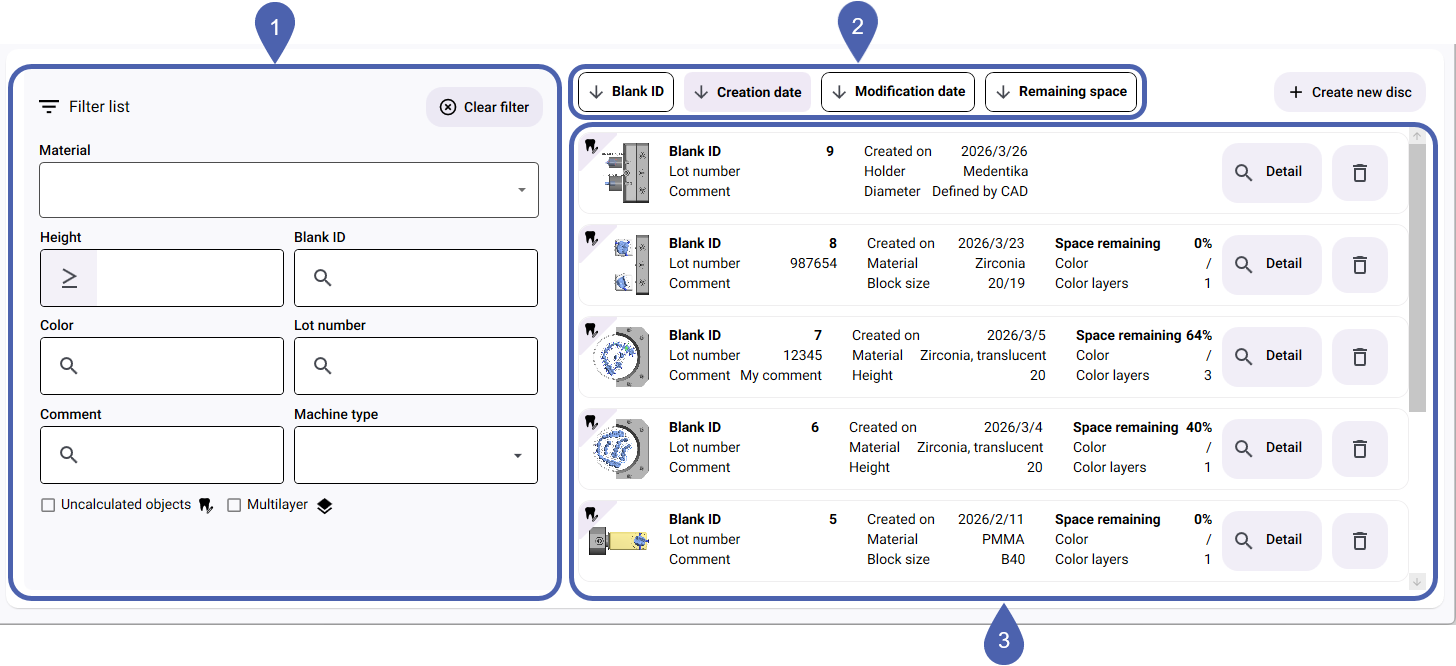
|
1 |
Filter by material properties |
|
2 |
Sorting functions |
|
3 |
Saved blanks |



